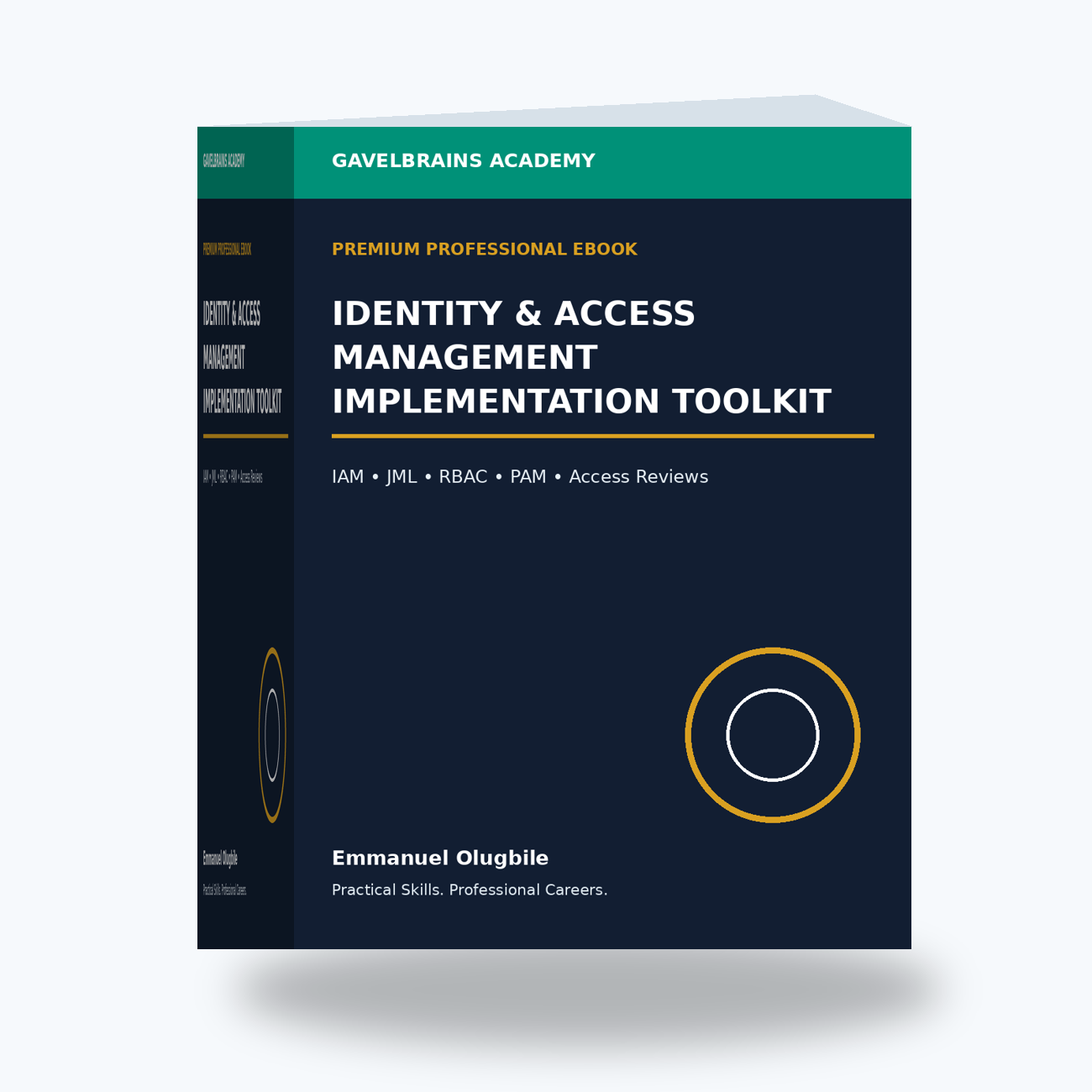
Identity & Access Management Implementation Toolkit
Identity & Access Management Implementation Toolkit
Build a Practical IAM System That Controls Who Gets Access, What They Can Access, Why They Have It, and When It Should Be Removed.
A new employee joins your organization.
Their account is created.
They receive access to email, business applications, shared folders and cloud services.
Six months later, they move to another department.
Their new access is added.
But their old access remains.
Later, they join a temporary project and receive additional permissions.
The project ends.
Nobody removes them.
Eventually, the employee has accumulated access across several departments, applications and sensitive resources.
Then one day, the account is compromised.
The attacker does not inherit only the access the employee needs today.
They may inherit years of accumulated permissions.
This is the problem that professional Identity & Access Management (IAM) is designed to address.
The GavelBrains Identity & Access Management Implementation Toolkit is a premium professional implementation system designed to help organizations, IT teams, cybersecurity professionals, IAM practitioners, GRC teams and consultants establish a structured approach to managing identities and access throughout their lifecycle.
The Fundamental IAM Question
WHO SHOULD HAVE ACCESS TO WHAT — FOR WHAT REASON — UNDER WHAT CONDITIONS — AND FOR HOW LONG?
The toolkit helps you move beyond basic account administration toward a complete IAM operating model:
IDENTIFY → REQUEST → APPROVE → PROVISION → AUTHENTICATE → AUTHORIZE → MONITOR → REVIEW → REVOKE → EVIDENCE
IAM Is Much More Than Creating User Accounts
Modern organizations may have identities across:
- Microsoft Entra ID
- Active Directory
- Microsoft 365
- Azure
- AWS or other cloud environments
- ERP platforms
- HR systems
- CRM applications
- Databases
- VPNs
- SaaS applications
- Business applications
- Third-party platforms
And not every identity belongs to an employee.
Organizations also manage:
Contractors
Consultants
Vendors
Guest users
Administrators
Service accounts
Applications
Automation identities
Cloud workloads
The IAM challenge is therefore not simply:
“Can this user log in?”
It is:
“Should this identity have this access at all?”
1. IAM Program Foundations
The toolkit begins by helping you establish the foundation of an IAM program.
Before selecting tools, define:
✓ IAM objectives
✓ Program scope
✓ Identity populations
✓ Critical systems
✓ Business stakeholders
✓ Roles and responsibilities
✓ Access ownership
✓ Application ownership
✓ Approval authority
✓ Review requirements
✓ Exception processes
✓ Evidence requirements
This helps prevent identity management from becoming a collection of informal decisions made by individual administrators.
2. Build an Identity Inventory
You cannot govern identities you do not know exist.
The toolkit helps you develop an inventory covering:
Human Identities
Employees, contractors, consultants and guests.
Privileged Identities
Administrators and other high-impact accounts.
Service Identities
Accounts used by services and scheduled processes.
Application & Workload Identities
Applications, automation and cloud workloads.
For each identity category, consider:
Who owns it?
Why does it exist?
What does it access?
How is it authenticated?
What privileges does it have?
When should it be reviewed?
When should it be retired?
3. Implement Joiner-Mover-Leaver Governance
One of the most important IAM processes is:
JOINER → MOVER → LEAVER → REVIEW
JOINER
When someone joins:
Who authorizes the identity?
Which business role applies?
Which applications are required?
Which groups should they join?
What authentication controls apply?
Who approves sensitive access?
MOVER
When someone changes role:
Which new access is required?
Which existing access is no longer required?
Have privileged permissions been reviewed?
Could the change create a segregation-of-duties problem?
LEAVER
When someone leaves:
When should access stop?
Which accounts must be disabled?
Which applications need attention?
What happens to privileged access?
What happens to active sessions?
What happens to business information?
REVIEW
How does the organization periodically confirm that access remains appropriate?
This turns identity lifecycle management into a controlled business process.
Scenario: The Forgotten Contractor
A contractor receives access to:
Microsoft 365;
a cloud application;
a VPN;
and a project repository.
The contract lasts three months.
Nine months later, the account remains active.
The project manager assumed IT would remove it.
IT assumed HR would notify them.
HR did not manage the contractor.
Nobody intentionally ignored the risk.
The process simply lacked ownership.
The toolkit helps you define:
EVENT → OWNER → ACTION → VALIDATION → EVIDENCE.
4. Build Authentication Standards
Authentication answers:
“Can this identity prove who or what it claims to be?”
Develop structured requirements around:
✓ Passwords
✓ Multi-Factor Authentication
✓ Authentication methods
✓ Privileged authentication
✓ Remote access
✓ Guest authentication
✓ Service identities
✓ Credential protection
✓ Authentication exceptions
✓ Compromised credentials
The objective is to reduce inconsistent authentication practices across systems.
5. Strengthen MFA Governance
Simply saying:
“We use MFA”
does not answer:
Who is covered?
Which applications require it?
Are privileged accounts protected?
Are exceptions documented?
Which authentication methods are permitted?
How are suspicious MFA events investigated?
The toolkit helps you move from:
MFA EXISTS
to:
MFA IS GOVERNED.
Scenario: MFA Fatigue
An employee receives repeated authentication prompts they did not initiate.
A weak process says:
“Ignore them.”
A stronger IAM process considers:
- Authentication evidence
- Account activity
- Successful sign-ins
- Active sessions
- Device/location context
- Credential exposure
- Downstream activity
- Security escalation
Identity security and incident response should work together.
6. Design Role-Based Access Control
Instead of granting permissions independently to every employee, organizations can structure access around approved roles where appropriate.
For example:
Finance Officer
Finance application user.
Finance shared-folder access.
Approved reporting platform.
HR Officer
HR platform user.
Employee-document access.
HR collaboration resources.
IT Support
Defined support permissions.
No unnecessary business-data access.
The toolkit helps you think through:
✓ Business roles
✓ Technical roles
✓ Permissions
✓ Groups
✓ Role ownership
✓ Role approval
✓ Role review
✓ Role conflicts
7. Apply Least Privilege
Least privilege means providing sufficient access for an authorized function without unnecessary permissions.
Common IAM problems include:
- Permanent administrative privileges
- Excessive group membership
- Direct user permissions
- Old access after role changes
- Shared administrator accounts
- Overprivileged service identities
- Uncontrolled vendor access
- Unreviewed exceptions
The toolkit helps identify and systematically reduce these exposures.
8. Implement Privileged Access Governance
Privileged identities deserve stronger governance because they may be capable of:
creating accounts;
changing security controls;
modifying permissions;
accessing sensitive information;
altering systems;
or disrupting services.
The toolkit helps structure:
✓ Privileged-account inventory
✓ Administrative roles
✓ Approval
✓ Least privilege
✓ Separation of normal and administrative activity
✓ Temporary privilege concepts
✓ Monitoring
✓ Periodic reviews
✓ Emergency access considerations
✓ Evidence
Privileged Access Scenario
A system engineer says:
“Give me permanent administrator access. I only need it occasionally, but requesting it every time is inconvenient.”
The IAM question is not:
“Would permanent access make the engineer's work easier?”
It is:
What exact privilege is required?
For which task?
How frequently?
Could narrower or temporary access work?
Who should approve it?
How will activity be monitored?
When will the privilege be reviewed?
That is privileged-access governance.
9. Build an Access Request Workflow
Informal access requests can create significant risk.
Imagine receiving:
“Please give John the same access as Mary.”
Why?
Does Mary still have appropriate access?
Does John perform the same role?
Does Mary's access include historical permissions she no longer needs?
The toolkit helps replace informal requests with a structured workflow:
REQUEST → JUSTIFY → APPROVE → PROVISION → VALIDATE → RECORD.
A request can document:
✓ Identity
✓ Resource
✓ Requested role
✓ Business justification
✓ Approver
✓ Duration
✓ Provisioner
✓ Completion
✓ Validation
✓ Evidence
10. Build an Access Approval Matrix
Not every access request should be approved by the same person.
For example:
AccessPotential ApproverDepartment applicationBusiness/Application OwnerSensitive informationData/Business OwnerPrivileged accessAppropriate Technology/Security AuthorityVendor accessBusiness Sponsor + Relevant Control OwnerTemporary project accessProject/Resource Owner
The exact model depends on the organization.
The important principle is:
ACCESS SHOULD HAVE ACCOUNTABLE OWNERSHIP.
11. Implement Periodic Access Reviews
Access that was correct six months ago may not be correct today.
The toolkit helps you build reviews around:
✓ Employees
✓ Privileged accounts
✓ Sensitive systems
✓ Contractors
✓ Guest users
✓ Group memberships
✓ Vendor accounts
✓ Service identities
A professional review should answer:
WHO HAS ACCESS?
WHAT DO THEY HAVE?
WHY DO THEY NEED IT?
WHO CONFIRMED IT?
WHAT WAS REMOVED?
WHAT EXCEPTION REMAINS?
Scenario: The Audit Request
An auditor asks:
“Show me evidence of the latest privileged-access review.”
You provide the Access Control Policy.
The auditor responds:
“That shows the requirement. Where is the evidence that the review occurred?”
The toolkit helps you distinguish:
POLICY
What management requires.
CONTROL
The actual periodic access review.
EVIDENCE
Population, reviewer, decisions, removed access, exceptions and follow-up.
That distinction is essential for audit readiness.
12. Manage Guest & External Identities
Modern organizations collaborate extensively with external parties.
The toolkit helps establish governance around:
✓ Business sponsorship
✓ Access justification
✓ Authentication
✓ Resource scope
✓ Expiration
✓ Periodic review
✓ Monitoring
✓ Offboarding
External access should not become permanent simply because nobody remembered to remove it.
13. Govern Vendor Access
Some vendors require powerful access to:
servers;
cloud environments;
applications;
networks;
databases.
That creates significant risk.
The toolkit helps organizations consider:
What does the vendor need?
Which systems?
What privilege level?
For how long?
How is authentication controlled?
Is activity logged?
Who sponsors the access?
How is it removed at contract termination?
This connects IAM with third-party risk management.
14. Govern Service & Workload Identities
One of the most overlooked IAM areas is non-human identity.
Applications and services may require:
credentials;
API access;
certificates;
tokens;
cloud permissions.
Problems arise when:
service accounts have excessive privileges;
nobody knows who owns them;
credentials are embedded in scripts;
passwords never change;
old applications disappear but identities remain.
The toolkit helps document:
✓ Identity purpose
✓ Owner
✓ System dependency
✓ Permissions
✓ Credential method
✓ Review requirements
✓ Monitoring
✓ Retirement
15. Connect IAM With HR
HR is often the authoritative source for important identity events.
A strong process can connect:
HR EVENT → MANAGER DECISION → IAM ACTION → VALIDATION → EVIDENCE.
Examples:
New Employee
Triggers provisioning.
Department Transfer
Triggers access review.
Termination
Triggers access revocation.
This reduces dependence on informal communication.
16. Connect IAM With Microsoft 365 & Cloud
Modern IAM spans cloud platforms.
The toolkit helps you consider governance around:
- Microsoft Entra identities
- Microsoft 365
- Azure roles
- SaaS applications
- Guest identities
- Cloud administrators
- External sharing
- Authentication
- Access reviews
- Workload identities
The technology may differ.
The IAM principles remain:
IDENTITY + AUTHENTICATION + AUTHORIZATION + LIFECYCLE + EVIDENCE.
17. Build IAM Monitoring
Provisioning access is not the end.
Organizations need visibility into how identities are being used.
Relevant signals may include:
✓ Failed authentication
✓ Unusual sign-ins
✓ Privileged activity
✓ New role assignments
✓ Dormant accounts
✓ Unauthorized changes
✓ Access-review failures
✓ Guest activity
✓ Service-account activity
IAM monitoring helps identify situations requiring investigation.
18. Build IAM Incident Response
Identity incidents may include:
Credential Theft
MFA Fatigue
Privileged Account Compromise
Dormant Account Activity
Failed Offboarding
Unauthorized Role Assignment
Exposed Service Credentials
Suspicious Guest Access
The toolkit helps structure:
DETECT → ASSESS → PROTECT → INVESTIGATE → CONTAIN → RECOVER → VALIDATE → DOCUMENT.
19. Manage IAM Exceptions
Sometimes a business requirement cannot immediately meet the standard IAM control.
For example:
a legacy application cannot support the preferred authentication method;
a temporary project requires unusual access;
an emergency requires elevated privilege.
Instead of silently bypassing controls, document:
✓ Requirement
✓ Business justification
✓ Risk
✓ Compensating controls
✓ Owner
✓ Approval
✓ Expiration
✓ Review
Exceptions become managed risk rather than invisible risk.
20. Build an IAM Risk Register
Common identity risks include:
Excessive Privileged Access
Incomplete MFA Coverage
Failed Offboarding
Dormant Accounts
Shared Credentials
Uncontrolled Vendor Access
Unowned Service Accounts
Access Creep
Weak Access Reviews
Track:
Risk
Impact
Controls
Residual exposure
Treatment
Owner
Due date
Status
Now IAM becomes part of cybersecurity risk management.
21. Build IAM Metrics & Dashboards
Management needs visibility.
Useful IAM indicators might include:
✓ MFA coverage
✓ Privileged-account population
✓ Dormant accounts
✓ Leaver completion
✓ Access-review completion
✓ Overdue access removals
✓ Guest identities
✓ Expired contractor access
✓ Unowned service accounts
✓ IAM incidents
✓ Open exceptions
The objective is not to produce attractive charts.
It is to answer:
“Where is identity risk increasing, and where does management need to act?”
22. Build an IAM Evidence Register
A professional IAM program should be demonstrable.
IAM ActivityExample EvidenceJoiner ProvisioningRequest + approval + provisioning recordMFAConfiguration/coverage evidenceRole AssignmentRequest + approval + assignmentPrivileged AccessApproval + assignment + reviewAccess ReviewPopulation + decisions + remediationLeaver ProcessTrigger + disabled access + completionGuest AccessSponsor + purpose + expirationService IdentityOwner + purpose + permission review
This supports:
Audit readiness
GRC
Customer assurance
Security reviews
and
Management oversight.
23. Assess IAM Maturity
The toolkit helps organizations review their maturity across:
✓ Identity inventory
✓ Joiner-Mover-Leaver
✓ Authentication
✓ MFA
✓ RBAC
✓ Privileged access
✓ Access requests
✓ Access reviews
✓ Guest identities
✓ Vendor access
✓ Service identities
✓ Monitoring
✓ Incident response
✓ Evidence
A simple internal maturity progression might range from:
AD HOC
to
DEFINED
to
MANAGED
to
MEASURED & IMPROVED.
This provides a roadmap—not a certification score.
24. Build the IAM Implementation Roadmap
You do not need to solve every IAM problem simultaneously.
The toolkit helps prioritize.
Immediate Risk Reduction
Examples:
Privileged users without appropriate MFA.
Former employees with active access.
Shared administrator accounts.
Unknown privileged identities.
Foundational Improvement
Identity inventory.
Formal JML.
Access-request workflow.
Role matrix.
Governance Improvement
Access reviews.
Guest governance.
Service identities.
Exceptions.
Maturity Improvement
Automation.
Analytics.
Advanced privileged-access governance.
Improved reporting.
This turns IAM from an uncontrolled collection of accounts into a managed improvement program.
25. Scenario: Complete Employee Identity Lifecycle
Imagine a fictional employee:
DAY 1 — JOINER
Identity created.
Approved role assigned.
MFA established.
Required applications provided.
Provisioning documented.
MONTH 8 — MOVER
Employee moves departments.
Old access reviewed.
Unnecessary permissions removed.
New approved access added.
MONTH 15 — TEMPORARY PROJECT
Temporary access granted.
Expiration defined.
MONTH 18 — REVIEW
Manager confirms required access.
Temporary access is removed.
MONTH 30 — LEAVER
Employment ends.
Access revoked.
Privileged access checked.
Resources transferred.
Completion documented.
This is what IAM lifecycle governance looks like when it is treated as a system.
THE IMPLEMENTATION TOOLKIT
The GavelBrains package is designed to help you build practical IAM artifacts, including frameworks for:
✓ IAM Program Charter
✓ Identity Inventory
✓ Joiner-Mover-Leaver Workflow
✓ Access Request Form
✓ Access Approval Matrix
✓ Role & Permission Matrix
✓ Authentication Standards
✓ MFA Review
✓ Privileged Access Register
✓ Guest Access Register
✓ Vendor Access Register
✓ Service Account Register
✓ Access Review Workbook
✓ IAM Risk Register
✓ IAM Exception Register
✓ IAM Evidence Register
✓ IAM Metrics Dashboard
✓ IAM Incident Workflow
✓ IAM Maturity Assessment
✓ IAM Implementation Roadmap
30/60/90-DAY IAM IMPLEMENTATION PLAN
DAYS 1–30 — DISCOVER & GOVERN
Focus on:
✓ Define IAM scope
✓ Identify stakeholders
✓ Build identity inventory
✓ Identify privileged identities
✓ Assess MFA coverage
✓ Review JML
✓ Identify immediate risks
✓ Assign ownership
DAYS 31–60 — STANDARDIZE & CONTROL
Implement or improve:
✓ Access requests
✓ Approval workflows
✓ Role structures
✓ Authentication standards
✓ Privileged-access governance
✓ Guest/vendor access
✓ Service identities
✓ Access reviews
DAYS 61–90 — EVIDENCE & IMPROVE
Focus on:
✓ IAM metrics
✓ Evidence register
✓ Exceptions
✓ Risk treatment
✓ Incident integration
✓ Management reporting
✓ Maturity assessment
✓ Longer-term roadmap
The objective is to move from:
“IT creates and deletes accounts.”
to:
“Our organization has a governed identity lifecycle with defined ownership, access decisions, reviews, evidence and risk management.”
Who Is This Toolkit For?
The Identity & Access Management Implementation Toolkit is particularly suitable for:
- SMEs
- Corporations
- NGOs
- Technology companies
- Educational institutions
- IT Managers
- IAM Analysts
- IAM Managers
- Microsoft 365 Administrators
- System Administrators
- Cybersecurity professionals
- Information Security Officers
- GRC professionals
- IT auditors
- Cybersecurity consultants