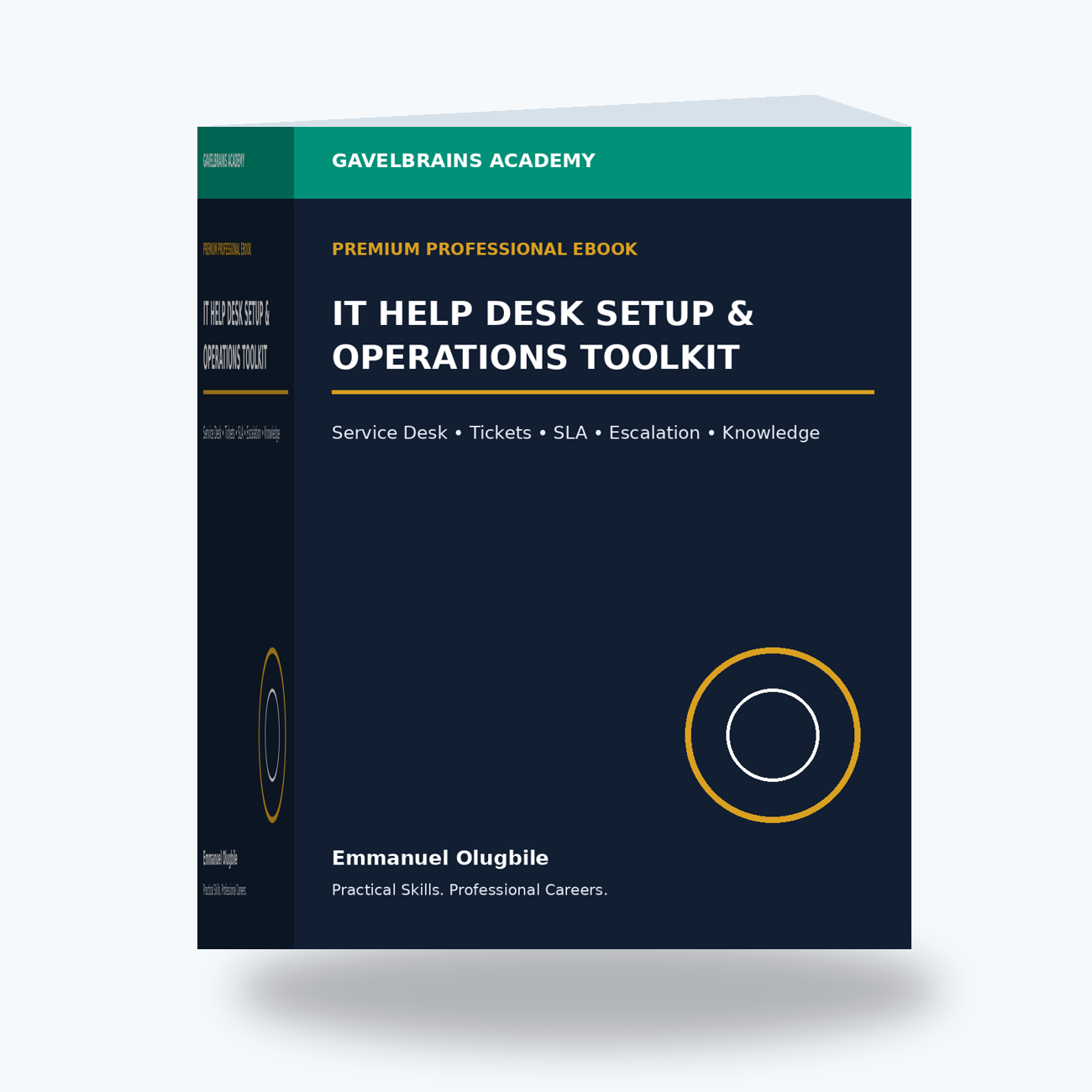
IT Help Desk Setup & Operations Toolkit
IT HELP DESK SETUP & OPERATIONS TOOLKIT
Build a Professional IT Help Desk That Turns User Problems Into Structured, Measurable and Consistently Managed IT Services.
A user cannot access email.
Another employee's laptop is running slowly.
A new starter needs an account, computer and application access.
Finance cannot print an important document.
A remote employee cannot connect to the VPN.
A manager reports that a business application is unavailable.
Then someone sends a message:
“URGENT! My computer isn't working!”
Where do all these requests go?
Email?
WhatsApp?
Phone calls?
Personal messages to IT staff?
A spreadsheet?
Or a properly managed service desk?
The GavelBrains IT Help Desk Setup & Operations Toolkit is a premium implementation system designed to help organizations, IT Managers, Help Desk leaders, IT Support professionals and consultants design, launch, standardize, measure and continuously improve a professional IT Help Desk operation.
It helps transform IT support from:
REACTIVE FIRE-FIGHTING
into:
REQUEST → RECORD → CLASSIFY → PRIORITIZE → ASSIGN → TROUBLESHOOT → RESOLVE → VALIDATE → DOCUMENT → IMPROVE
Imagine This Scenario
Your organization has 150 employees.
There are three IT Support technicians.
Users request support through:
WhatsApp.
Email.
Telephone calls.
Teams messages.
Personal calls.
Walking directly to the IT office.
One technician keeps notes in a notebook.
Another uses Excel.
The third relies on memory.
Management asks:
“How many support requests did IT handle last month?”
Nobody knows exactly.
Then:
“What are the most common problems?”
Unknown.
“How quickly are critical incidents resolved?”
No reliable data.
“Which tickets are overdue?”
Nobody has a complete list.
“Are the same problems happening repeatedly?”
Possibly—but there is no structured trend analysis.
The IT team may be working extremely hard.
But without a service-management system, it is difficult to demonstrate:
workload;
performance;
service quality;
recurring problems;
resource requirements;
or
business value.
This toolkit is designed to change that.
Stop Running IT Support Through WhatsApp and Memory
Informal communication may be convenient.
But as an organization grows, informal support processes create problems.
A request sent directly to one technician can be forgotten.
A critical incident may not be escalated.
Two technicians may unknowingly work on the same problem.
An employee may leave without proper IT offboarding.
Important troubleshooting knowledge may disappear when an employee resigns.
Management may see only complaints—not the hundreds of incidents IT resolves successfully.
A professional Help Desk creates a system of record.
That system helps answer:
WHAT HAPPENED?
WHO IS AFFECTED?
HOW IMPORTANT IS IT?
WHO OWNS IT?
WHAT HAS BEEN TRIED?
WHAT WAS THE RESULT?
DID THE USER CONFIRM RESOLUTION?
WHAT CAN WE LEARN FROM IT?
The GavelBrains Help Desk Operating Model
The toolkit helps you build support around a structured lifecycle:
INTAKE → CLASSIFY → PRIORITIZE → ASSIGN → DIAGNOSE → RESOLVE → VALIDATE → CLOSE → ANALYZE → IMPROVE
The objective is not simply to introduce a ticketing application.
A ticketing application without good processes simply creates:
DISORGANIZED SUPPORT INSIDE SOFTWARE.
The toolkit focuses on the operating model behind the tool.
1. IT Help Desk & Service Desk Foundations
Build a practical understanding of:
✓ Help Desk
✓ Service Desk
✓ IT Support
✓ Desktop Support
✓ Technical Support
✓ IT Operations
✓ Incidents
✓ Service requests
✓ Problems
✓ Changes
✓ Escalation
✓ Service Level Agreements
✓ Knowledge management
The goal is to establish a common operating language for the support team.
2. Help Desk vs Service Desk
The terms are sometimes used interchangeably, but it is useful to understand the broader service-management perspective.
A Help Desk may focus strongly on:
FIXING USER PROBLEMS.
A more developed Service Desk can also become the central point for:
INCIDENTS + REQUESTS + COMMUNICATION + SERVICE INFORMATION + ESCALATION.
The toolkit can support organizations at either maturity level.
You do not need a massive enterprise ITSM department to adopt professional service-management principles.
3. Define the Help Desk Scope
Before launching a support function, define:
WHAT DOES THE HELP DESK SUPPORT?
Possible areas include:
✓ Windows devices
✓ Microsoft 365
✓ Printers
✓ Networking
✓ VPN
✓ Business applications
✓ User accounts
✓ Password resets
✓ Hardware
✓ Mobile devices
✓ Cloud applications
Also define:
WHAT IS NOT SUPPORTED?
Clear boundaries reduce confusion.
Scenario: “IT Supports Everything”
An employee brings a personal gaming laptop to the office.
They ask IT to repair it.
Another employee asks IT to configure their personal smart television.
A manager asks IT to recover photographs from a personal phone.
If the Help Desk scope is simply:
“IT helps with technology,”
support expectations can become unlimited.
The toolkit helps you define a professional service boundary.
4. Build the IT Service Catalogue
A Service Catalogue tells users what IT services are available.
Examples might include:
User Account Services
New accounts.
Password resets.
Access requests.
Endpoint Services
Laptop support.
Software installation.
Device replacement.
Microsoft 365 Services
Outlook.
Teams.
OneDrive.
SharePoint support.
Network Services
Wi-Fi.
LAN.
VPN.
Business Applications
Supported organizational systems.
A Service Catalogue helps turn vague IT activity into defined services.
5. Design Your Ticketing System
The toolkit helps you determine what information should be captured.
A useful ticket might contain:
✓ Ticket ID
✓ User
✓ Department
✓ Contact details
✓ Service/category
✓ Description
✓ Business impact
✓ Urgency
✓ Priority
✓ Assigned technician
✓ Status
✓ SLA target
✓ Troubleshooting notes
✓ Resolution
✓ User validation
✓ Closure information
This creates consistency across the team.
6. Create Professional Support Channels
Users need to know:
HOW DO I CONTACT IT?
Possible channels might include:
✓ Support portal
✓ Dedicated email
✓ Telephone
✓ Approved messaging integration
✓ Walk-up support where appropriate
The important principle is that requests should ultimately become trackable records.
A user may call because the issue is urgent.
But the incident should still be documented.
7. Incident Management
An incident is generally an unplanned interruption or reduction in the quality of an IT service.
Examples:
“I cannot access email.”
“The printer is offline.”
“The application is unavailable.”
“My laptop will not start.”
The objective of incident management is to restore normal service as efficiently as reasonably possible while managing business impact.
The toolkit helps establish:
RECORD → CLASSIFY → PRIORITIZE → INVESTIGATE → RESOLVE → VALIDATE → CLOSE.
8. Service Request Management
Not every ticket represents something broken.
A user may request:
✓ New software
✓ New equipment
✓ Access
✓ Account creation
✓ Group membership
✓ New employee setup
✓ Equipment relocation
✓ Information
These are service requests.
Separating incidents from requests improves:
reporting;
workflows;
approvals;
service expectations.
Scenario: Incident or Request?
Ticket A
“I cannot access the Finance application that worked yesterday.”
Likely an incident.
Ticket B
“Please give our new Finance employee access to the application.”
Likely a service/access request.
Both require IT.
But the workflows may differ.
9. Build Ticket Categories
Without consistent categories, reporting becomes unreliable.
Potential categories include:
Hardware
Windows
Microsoft 365
Accounts & Access
Network
Printer
Business Applications
Security
VPN
Mobile Device
Service Request
Categories help identify trends.
For example:
If 30% of monthly tickets involve password resets, perhaps the organization should investigate:
authentication usability;
self-service capabilities;
training;
or recurring account issues.
10. Design Impact & Urgency
Users often describe every problem as:
“URGENT.”
A professional Help Desk needs objective criteria.
IMPACT
How much of the business is affected?
One user?
One department?
One site?
The whole organization?
URGENCY
How quickly does the issue need action based on business consequences?
These can help determine:
PRIORITY.
11. Build a Priority Matrix
A simplified model could include:
P1 — CRITICAL
Major business service unavailable or severe widespread impact.
P2 — HIGH
Significant business impact affecting multiple users or an important function.
P3 — MEDIUM
Standard incident with manageable business impact.
P4 — LOW
Low-impact issue or routine request.
The exact model should reflect the organization.
The important point is:
PRIORITY SHOULD NOT DEPEND ONLY ON WHO SHOUTS THE LOUDEST.
Scenario: CEO Printer vs Payroll Outage
The CEO's personal office printer stops working.
At the same time, the payroll system becomes unavailable to the Finance team on payroll-processing day.
Which issue receives higher priority?
Seniority may affect communication.
But service priority should consider business impact and urgency.
A professional Help Desk needs agreed rules.
12. Build Service Level Agreements
An SLA helps define service expectations.
It may address:
✓ Service hours
✓ Support channels
✓ Priority levels
✓ Response targets
✓ Resolution targets or goals where appropriate
✓ Escalation
✓ Maintenance
✓ Exclusions
✓ User responsibilities
✓ Reporting
Without agreed expectations, users may assume:
EVERY PROBLEM SHOULD BE RESOLVED IMMEDIATELY.
13. Understand Response vs Resolution
These are not necessarily the same.
RESPONSE
How quickly did IT acknowledge and begin handling the issue?
RESOLUTION
How long until the service was restored or request completed?
A ticket can receive a fast response while requiring longer investigation.
Clear terminology prevents misleading performance expectations.
14. Build an Escalation Model
First-line technicians should not be expected to solve every issue.
A structured escalation model may include:
LEVEL 1
Common user issues and initial troubleshooting.
LEVEL 2
More advanced technical investigation.
LEVEL 3 / SPECIALIST
Infrastructure, applications, cloud, network, security or vendor expertise.
Escalation may also be:
FUNCTIONAL
More specialized expertise is required.
HIERARCHICAL
Management attention is required because of impact, risk or delay.
Security Escalation Scenario
A user reports:
“I keep receiving MFA approval requests that I didn't initiate.”
This should not automatically be handled as:
“Reset password and close ticket.”
It may represent suspicious identity activity.
The Help Desk should know when:
IT SUPPORT → SECURITY INCIDENT ESCALATION.
15. Build Troubleshooting Standards
Technicians should avoid random troubleshooting.
Use a repeatable method:
CLARIFY
What exactly is the user trying to do?
SCOPE
One user, device, department, site or everyone?
EVIDENCE
Errors, logs, configuration, symptoms and recent changes.
HYPOTHESIS
What are the most plausible causes?
TEST
Perform deliberate checks.
ACTION
Use the least disruptive authorized correction.
VALIDATE
Confirm the original business function works.
DOCUMENT
Record the result.
This improves both technical quality and ticket documentation.
16. Build Better Ticket Notes
Weak ticket note:
“Fixed.”
Better documentation might capture:
User impact
Evidence
Checks performed
Cause where known
Action
Result
Validation
Next step
The objective is simple:
ANOTHER TECHNICIAN SHOULD BE ABLE TO UNDERSTAND WHAT HAPPENED WITHOUT CALLING YOU.
17. Build a Knowledge Base
Some incidents happen repeatedly.
Instead of solving the same issue from scratch every time, create reusable knowledge.
A knowledge article can include:
✓ Problem
✓ Symptoms
✓ Environment
✓ Cause where known
✓ Resolution
✓ Validation
✓ Escalation criteria
✓ Related information
Knowledge management turns individual technician experience into organizational capability.
Scenario: The Same VPN Problem Every Monday
Five employees report the same VPN problem every Monday.
Each technician resolves it individually.
Nobody documents the pattern.
After three months, the Help Desk has spent dozens of hours repeatedly treating the same symptom.
A mature support function asks:
“WHY DOES THIS KEEP HAPPENING?”
That leads to Problem Management.
18. Problem Management
Incident Management asks:
“How do we restore service?”
Problem Management asks:
“Why does this keep happening?”
The toolkit helps you track:
✓ Recurring incidents
✓ Known errors
✓ Root-cause investigations
✓ Workarounds
✓ Permanent fixes
✓ Problem owners
This helps reduce ticket volume over time.
19. Change Awareness
Sometimes incidents occur because something changed.
Examples:
Software update.
Firewall rule.
Password policy.
Network configuration.
Application deployment.
Cloud configuration.
The Help Desk should have enough change visibility to ask:
“Did anything change before this problem started?”
This can dramatically improve troubleshooting.
20. Major Incident Management
A widespread outage requires more than ordinary ticket handling.
Imagine:
80 users suddenly cannot access Microsoft 365.
If every employee creates a separate ticket and technicians troubleshoot individually, the response becomes chaotic.
A major-incident process can establish:
✓ Incident coordinator
✓ Technical lead
✓ Business impact
✓ Communications
✓ Escalation
✓ Vendor involvement
✓ Update cadence
✓ Recovery validation
✓ Post-incident review
The objective is coordinated restoration.
21. User Communication
Users often judge IT Support not only by technical competence but by communication.
Useful communication should answer:
WHAT IS HAPPENING?
WHAT ARE WE DOING?
WHAT SHOULD THE USER DO?
WHEN WILL THEY HEAR FROM US AGAIN?
Even when the issue is not yet resolved, professional updates can improve confidence.
22. Build Ticket Statuses
A simple workflow might use:
NEW
ASSIGNED
IN PROGRESS
PENDING USER
PENDING VENDOR
RESOLVED
CLOSED
Statuses should mean something.
A ticket should not remain:
“In Progress”
for three weeks simply because nobody updated it.
23. Build an IT Asset Connection
Help Desk and asset management work better together.
When a user reports a laptop problem, the technician should ideally know:
✓ Device
✓ Owner
✓ Model
✓ Serial/asset number
✓ Warranty
✓ Operating system
✓ Support status
✓ Assigned applications
This improves troubleshooting and lifecycle decisions.
24. Build Joiner-Mover-Leaver Support Workflows
The Help Desk often plays an important role in employee lifecycle operations.
JOINER
Account.
Laptop.
Email.
Applications.
Groups.
MFA.
MOVER
New access.
Old access review.
Equipment changes.
LEAVER
Disable access.
Recover equipment.
Remove permissions.
Transfer business information where authorized.
Document completion.
This connects Help Desk operations with IAM and cybersecurity.
25. Build Security Into Help Desk Operations
Help Desk technicians can be attractive targets for social engineering.
An attacker may call:
“I'm the CFO. I lost my phone. Reset my MFA immediately.”
Should the technician do it?
A secure Help Desk needs processes for:
✓ User verification
✓ Password resets
✓ MFA resets
✓ Privileged requests
✓ Suspicious activity
✓ Lost devices
✓ Phishing reports
✓ Security escalation
Convenience should not override identity verification.
26. Build Daily & Weekly Operating Routines
A mature Help Desk should not rely only on incoming tickets.
Daily routines may include:
✓ Review unassigned tickets
✓ Review high-priority incidents
✓ Check SLA risks
✓ Follow up pending tickets
✓ Review security escalations
✓ Update major incidents
Weekly routines might include:
✓ Ticket trends
✓ Backlog
✓ Repeat incidents
✓ Knowledge articles
✓ Aging tickets
✓ Team workload
✓ Vendor escalations
This creates operational discipline.
27. Measure Help Desk Performance
Useful metrics may include:
✓ Tickets received
✓ Tickets resolved
✓ Backlog
✓ Aging tickets
✓ First response
✓ Resolution performance
✓ SLA achievement
✓ Reopened tickets
✓ Escalation rate
✓ Recurring incidents
✓ Customer feedback
✓ Ticket categories
But metrics should be interpreted carefully.
A technician closing many tickets does not automatically mean they provide the best support.
Quality matters.
28. Build the Monthly IT Service Report
Management should see more than:
“IT was busy this month.”
A monthly report can include:
EXECUTIVE SUMMARY
What happened?
TICKET VOLUME
How much demand existed?
SERVICE PERFORMANCE
Were targets met?
MAJOR INCIDENTS
What affected the business?
RECURRING PROBLEMS
What keeps happening?
SECURITY OBSERVATIONS
What needs attention?
RISKS
What remains unresolved?
RECOMMENDATIONS
What should happen next?
This turns Help Desk data into management information.
29. Build Customer Satisfaction Into the Process
After resolution, ask:
“Did we actually solve the user's problem?”
Useful feedback can evaluate:
✓ Resolution quality
✓ Communication
✓ Timeliness
✓ Professionalism
✓ Overall experience
The purpose is not to chase perfect scores.
It is to identify service-improvement opportunities.
30. Build a Continuous Improvement System
Every month, ask:
Which ticket categories increased?
Which problems keep recurring?
Where are SLAs being missed?
Which knowledge articles are missing?
Which tasks could be automated?
Where does the team need training?
Which services generate the most complaints?
The operating model becomes:
MEASURE → ANALYZE → IMPROVE → STANDARDIZE → MEASURE AGAIN.
THE COMPLETE IMPLEMENTATION TOOLKIT
The GavelBrains IT Help Desk Setup & Operations Toolkit can help you build practical resources including:
✓ Help Desk Setup Guide
✓ Service Desk Operating Model
✓ IT Service Catalogue Template
✓ Support Scope Matrix
✓ Ticket Intake Form
✓ Ticket Category Matrix
✓ Impact & Urgency Matrix
✓ Priority Matrix
✓ SLA Template
✓ Escalation Matrix
✓ Ticket Status Workflow
✓ Troubleshooting Worksheet
✓ Ticket Documentation Standard
✓ Knowledge Base Template
✓ Problem Record Template
✓ Major Incident Template
✓ User Communication Templates
✓ Joiner-Mover-Leaver Checklist
✓ Help Desk Security Checklist
✓ Daily Operations Checklist
✓ Weekly Service Review Template
✓ Technician Handover Template
✓ Customer Satisfaction Survey
✓ Help Desk KPI Dashboard
✓ Monthly IT Service Report Template
✓ Continuous Improvement Register